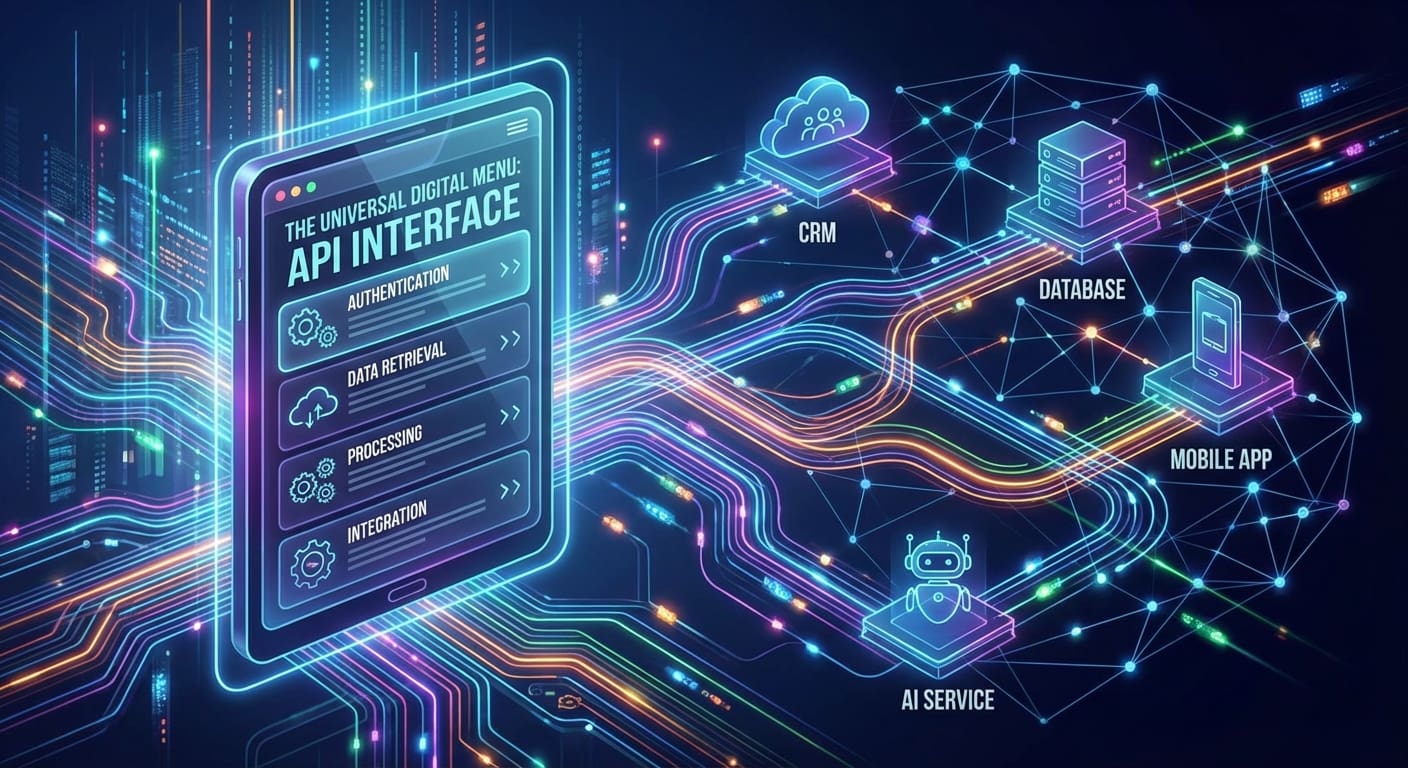
Understanding APIs
When you dive into the tech world, you often hear terms like “API” thrown around. But what exactly are APIs, and why do they matter? Let’s break it down step by step.
Definition of API
An API, or Application Programming Interface, is essentially a set of rules and protocols that allow different software applications to communicate with one another. Think of APIs as the middlemen or translators that help different applications understand each other.
Imagine you’re at a restaurant. You’re seated at your table, looking at the menu, which represents the services or data you can request. However, you can’t just walk into the kitchen and start cooking. Instead, you have a waiter (the API) who takes your request to the kitchen, brings back your food, and delivers it to you. In essence, the API is a crucial component that allows you to make requests and receive responses without needing to know how everything works behind the scenes.
Types of APIs
APIs come in various forms, each catering to different needs and scenarios. Here are the most common types:
- Open APIs (Public APIs): These are available to developers and the public. Companies often use them to allow third-party developers to build applications that interact with their services. For example, the Twitter API allows developers to create applications that can post tweets or retrieve user data.
- Internal APIs (Private APIs): These are used within an organization. Product teams use internal APIs to improve communication between different software applications and systems. For instance, a company might have APIs that its marketing and sales teams use to share customer data efficiently.
- Partner APIs: These types of APIs are technically open but only accessible to specific developers or partners. They are commonly used in business collaborations. Imagine an e-commerce platform that allows partnered sellers to access its inventory via a Partner API.
- Composite APIs: These enable developers to access multiple endpoints in a single call. They are especially helpful when needing to pull together information from various sources. For instance, a travel app might use a composite API to gather data about flights, hotels, and car rentals in one request.
How APIs Work
Understanding how APIs work requires looking into their anatomy, which generally involves three principal components: requests, responses, and endpoints.
- Requests: When you interact with an API, you send a request made up of:
- Method: This specifies the action to perform (e.g., GET to fetch data, POST to create new entries).
- Endpoint: This is the URL where the API can be accessed. For example,
https://api.example.com/products. - Parameters: Optional details to modify your request. For example, if you’re looking for a specific product, you might add a search query parameter.
- Responses: Once the API has processed your request, it sends a response back, typically in JSON or XML format. This response includes:
- Status codes: Indicate the outcome of your request (e.g., 200 for success, 404 for not found).
- Body: The actual data being returned.
- Authentication: Many APIs require authentication to ensure the requests come from authorized users. This can take the form of API keys, access tokens, or even OAuth procedures.
For instance, suppose you want to pull weather data from a service. You would send a GET request to the weather API’s endpoint, and it would return the current weather data in JSON format, complete with temperature, humidity, and forecast.

Understanding how APIs work opens up a world of possibilities for integrating various applications and services. Whether you’re a developer looking to build apps or a business owner wanting to leverage existing tools, embracing APIs is essential in today’s interconnected digital landscape.
Stay tuned as we explore the benefits of using APIs next!
Benefits of Using APIs
Having explored the foundational elements of APIs and their function, it’s time to delve into why APIs are so indispensable today. The benefits they offer are not just technical but also strategic for businesses, developers, and users alike.
Enhanced Functionality
One of the most compelling advantages of using APIs is the enhanced functionality they bring to your applications or services. APIs are like building blocks that allow you to integrate various features without reinventing the wheel.
For instance, if you’re building a new app and need payment processing capabilities, you don’t need to develop an entire payment system from scratch. Instead, you can utilize an API from a service like Stripe or PayPal, allowing you to handle transactions seamlessly. This not only accelerates your development process but also enriches your application’s functionality significantly.
Consider these additional points:
- Third-Party Integrations: APIs allow you to integrate third-party services easily, adding powerful capabilities like analytics, mapping, social media sharing, and customer service chatbots to your application.
- Scalability: As your business grows, APIs enable you to scale your offerings rapidly by simply connecting to new services or functionalities.
By leveraging APIs, you can focus on what matters most—your core product—while enriching your users’ experiences with a toolkit of advanced capabilities.
Improved User Experience
User experience (UX) can make or break an application. With APIs enhancing functionality, they inherently contribute to a better user experience. Think about how frustrating it can be when an app doesn’t perform as expected or takes forever to load data.
APIs streamline the interaction between the back-end and front-end, ensuring that users get the information they want quickly. Have you ever used a travel booking app that instantly pulls in thousands of flights? That’s an API at work, pulling data from different airlines’ databases in real-time.
Here’s how APIs specifically improve user experience:
- Faster Load Times: With efficient data retrieval mechanisms, APIs can significantly reduce load times, which is crucial in retaining user attention.
- Real-Time Updates: APIs allow for dynamic content delivery. For instance, news apps can provide users with real-time updates about current events through APIs.
- Personalization: APIs can integrate user data from multiple platforms, enabling a Personalized experience. For example, streaming services use APIs to analyze user preferences and suggest relevant content.
Ultimately, a smooth, responsive application keeps users engaged and satisfied, thereby increasing loyalty and reducing churn rates.
Time and Cost Efficiency
When it comes to running a successful business or development project, time and cost efficiency are at the top of the priority list. APIs shine in this area by simplifying processes and reducing development time.
Imagine a startup with a limited budget looking to launch an MVP (Minimum Viable Product). Instead of constructing all the necessary features in-house, the team can utilize existing APIs to assemble their product quickly and cost-effectively.
Here are some ways APIs save you time and money:
- Reduced Development Time: With readily available features through APIs, programmers can accelerate development cycles dramatically. Instead of weeks or months, tasks can be completed in days.
- Lower Resource Allocation: When using APIs, teams can focus on their main objectives instead of getting bogged down by building redundant functionalities. This allows for effective use of resources.
- Maintenance: Many third-party services regularly update and maintain their APIs. This means you get the latest features and security patches without the headache of managing it yourself.
In a fast-paced environment, the ability to save time and costs can give you a competitive edge and allow your business to respond to market demands more effectively.
In summary, utilizing APIs comes with significant benefits, enhancing functionality, improving user experiences, and fostering time and cost efficiency. As we continue exploring the landscape of APIs, we’ll dive into how to implement them on websites and make the most of these advantages. Stay tuned!
Implementing APIs on Websites
Having discussed the immense benefits of APIs, you might be wondering how to practically implement them on your website. Integrating APIs can seem daunting at first, but once you understand the process, it becomes straightforward and rewarding. Let’s delve into the essential steps for effective API implementation.
Connecting Third-Party Services
One of the primary uses of APIs is to connect your website to third-party services, allowing you to leverage their functionality without developing it yourself. For example, if you’re setting up an e-commerce site, you might want to integrate payment processing, analytics services, or even social media sharing features.
Here’s how you can approach connecting third-party services:
- Choose The Right API: Start by selecting APIs that align with your business objectives. For example, Shopify offers a robust API for e-commerce, while Mailchimp provides a great API for email marketing.
- Read the Documentation: Thoroughly understanding the API’s documentation is crucial. Documentation typically explains how to connect, what endpoints are available, and the required parameters. This can save you a lot of time and frustration later on.
- API Key and Authentication: Most third-party APIs require an API key for authentication. Once you sign up for the service, you’ll receive a unique key that you can use in your requests to ensure secure communication.
- Start Making Calls: Once you have everything set up, it’s time to make your API requests! Use tools like Postman or cURL to test responses. For example, if you’re using a weather API, make a request like
GET https://api.weather.com/v1/currentconditions.
Connecting these services can significantly enhance your website’s capabilities and allow you to focus on delivering value to your users.
Customizing API Integration
While APIs offer robust functionalities out of the box, customizing their integration can further tailor the services to meet your specific needs. Customization may include adjusting the data you display, integrating multiple APIs, or developing custom workflows.
Here are some tips for customizing your API integration:
- Read Responses and Filter Data: Don’t just take data at face value; understand what each response contains. You may only need certain pieces of information. For example, if an API returns user information but you only need email addresses, filter the results to reduce clutter.
- Combine Multiple APIs: Sometimes, you may want to integrate several APIs for a more holistic solution. For instance, if you’re developing a travel website, you could combine APIs from hotels, flights, and rental cars to offer users an end-to-end booking experience.
- User Interface Personalization: Use the data retrieved from APIs to personalize the UI for different users. For example, an e-commerce website could display tailored product recommendations based on a user’s purchase history retrieved from your API.
- Error Handling and Logging: Set up custom error handling to deal with potential issues such as rate limits or unavailable services. Implement logging for debugging purposes, allowing you to identify problems quickly.
Customizing your API integration means you’re not just using services as they come but enhancing them to resonate better with your audience.
Security Considerations
With great power comes great responsibility—especially when it comes to security. Implementing APIs on your website can expose you to vulnerabilities if not handled correctly. Here are some essential security measures you should consider:
- Use HTTPS: Always ensure your API requests are made over HTTPS. This encrypts the data, making it difficult for eavesdroppers to intercept sensitive information.
- Keep Your API Keys Confidential: Treat your API keys like passwords. Don’t hard-code them into your scripts, especially if your code will be public. Instead, use environment variables or server-side configuration files to store sensitive information.
- Implement Rate Limiting: To prevent misuse of your API and mitigate DDoS (Distributed Denial of Service) attacks, ensure you employ rate limiting. This limits the number of requests from a specific IP or user, safeguarding your server from overwhelming traffic.
- Regular Updates and Monitoring: APIs can evolve, and new vulnerabilities may emerge. Regularly update your integrations based on the latest security practices. Monitor API usage and logs for suspicious activity.
By thoughtfully connecting third-party services, customizing your integrations, and prioritizing security, you can unlock the full potential of APIs on your website. Ready to explore how APIs can automate processes and integrate with AI? Let’s move on!
APIs for AI and Automations
Transitioning from the implementation of APIs, let’s explore a captivating area where APIs serve as a powerful backbone: Artificial Intelligence (AI) and automations. With the rise of AI technologies, leveraging APIs can be a game-changer for businesses looking to enhance efficiency, accuracy, and innovation. Let’s dive into how APIs are integral to AI applications and automation processes.
Leveraging APIs for AI Applications
APIs are crucial in democratizing access to advanced AI capabilities. They allow developers and businesses to tap into sophisticated algorithms and data processing services without needing in-depth AI knowledge or substantial infrastructure investments.
- Accessing AI Models: With APIs, you can access pre-trained AI models from leading tech companies like Google, IBM, and Microsoft. For instance, Google Cloud AI provides powerful machine learning APIs that help you incorporate features like natural language processing or image recognition into your applications at the push of a button.
- Integration & Interoperability: APIs facilitate smooth integration of AI functionalities across various applications. Whether you’re building a chatbot for customer service or an AI recommendation engine, APIs allow you to combine functionalities seamlessly. You can connect your existing systems with AI capabilities without disrupting your current workflow.
- Iterative Improvements: AI isn’t static. By leveraging APIs, you can easily incorporate the latest advancements in AI technology. For example, an e-commerce platform can continuously enhance its recommendation algorithms simply by integrating updates from the AI service’s API.
Imagine you run a content platform. You could use an AI API to analyze user-generated content for sentiment analysis. This would help you gauge user sentiment and improve engagement strategies, all while relying on the underlying strength of AI models.
Automating Processes with APIs
APIs are also at the forefront of automation. By connecting different software applications, APIs streamline workflows and reduce the need for manual intervention, freeing up your time for more strategic tasks.
Here’s how you can automate processes with APIs:
- Data Synchronization: By integrating APIs from various platforms, businesses can automate data flows. For instance, an API could fetch sales data from an e-commerce website and automatically update inventory levels in a stock management system.
- Task Automation: Using APIs can trigger a sequence of actions based on specific events. For example, when a customer places an order, an API could automatically send a notification to the fulfillment center and update the customer’s order status in real-time.
- Workflow Automation Tools: Platforms like Zapier or Integromat allow users to create custom automations by connecting different APIs. You could automate tasks such as saving email attachments from Gmail to Dropbox or syncing new contacts from a CRM to your email marketing tool—all without requiring programming skills.
Personally, I once integrated an API for an email marketing tool with my preferred CRM using Zapier. It initially felt like a daunting task, but the ease of dragging and dropping tasks transformed my workflow, allowing me to focus on content creation instead of tedious data entry.
Examples of AI-Powered APIs
Now that we’ve established how to leverage APIs for AI and automation, let’s look at some standout examples of AI-powered APIs that you can integrate into your projects:
- OpenAI GPT (Generative Pre-trained Transformer): This API is capable of generating human-like text, making it ideal for chatbots and content generation applications. Companies are using it to provide customer support, write articles, or even assist with programming tasks.
- IBM Watson: This suite of AI APIs includes facial recognition, language understanding, and visual recognition capabilities. For example, a security application can use Watson API to analyze video footage for unauthorized access.
- Google Vision API: This powerful tool allows you to analyze images and extract information, making it perfect for applications needing to recognize objects, read text, or detect inappropriate content. For instance, retailers can use this API to monitor product displays in-store.
- Twilio: With APIs for SMS, voice, and video, Twilio adds layers of communication capabilities to applications, automating everything from customer support interactions to appointment reminders.
By strategically leveraging these AI-powered APIs and automating processes, organizations can unlock new capabilities, drive efficiency, and create innovative solutions. In a rapidly evolving tech landscape, staying ahead requires continuous adaptation and exploration of these advanced tools. So get ready to harness the power of APIs in your next endeavor as we move on to API best practices!
API Best Practices
Now that we’ve explored the fascinating ways APIs can enhance AI applications and automate processes, it’s essential to focus on best practices for API development and integration. Implementing APIs isn’t just about functionality; it’s about doing it correctly and efficiently to ensure sustained usability and performance. Here are some key best practices to keep in mind.
Documentation and Testing
Proper documentation is the cornerstone of any successful API. It serves as the roadmap for developers to understand how to use the API effectively. Imagine trying to navigate a new city without a map—challenging, right? That’s what using an undocumented API feels like.
- Comprehensive Documentation: Your API documentation should include:
- Overview: A brief introduction explaining what the API does.
- Endpoints: Detailed descriptions of each endpoint, including methods (GET, POST, etc.), parameters, and expected responses.
- Code Samples: Practical examples help illustrate how to implement requests and handle responses effectively.
- Versioning: As your API evolves, versioning is crucial. It lets developers know which version they are using and what changes have been made. For instance, you might have an API endpoint like
/v1/productsthat directs users to the current version while still maintaining/v0/productsfor legacy systems. - Automated Testing: Continuous testing ensures your API operates as intended. Utilize tools like Postman or Swagger to run tests that include:
- Unit Tests: To check individual components.
- Integration Tests: To evaluate interactions between different API components.
When I was developing an API for a client project, I found that dedicating time to comprehensive documentation not only saved time in the long run but also resulted in fewer support requests.
Monitoring API Performance
Once your API is live, it requires continuous monitoring. Just because an API works at launch doesn’t mean it’ll perform the same way indefinitely. Regular monitoring helps you catch potential issues before they impact users.
- Key Performance Indicators (KPIs): Determine the KPIs that matter most for your API, such as:
- Response Times: Keep track of how quickly your API responds to requests.
- Error Rates: Monitor how often requests fail and why.
- Logging: Implement logging to maintain a record of API requests and responses. These logs are invaluable for debugging and tracking usage patterns. Consider incorporating:
- Request Details: Log incoming requests, including headers and payloads.
- Response Codes: Record HTTP status codes returned by the API.
- Analytics Tools: Use analytics platforms like Google Analytics or Application Performance Monitoring (APM) tools such as New Relic or Dynatrace. These tools can provide insights into user behavior and identify bottlenecks.
A friend of mine once neglected to monitor her API after launch. After people began experiencing slow load times, it took weeks to diagnose the problem—something that could have been caught with proactive monitoring.
Handling Errors and Security
Errors are inevitable, but how you handle them can distinguish an excellent API from a mediocre one. Users appreciate well-defined error messages that help them troubleshoot issues.
- Meaningful Error Responses: When an error occurs, your API should return meaningful responses, including:
- HTTP Status Codes: Use standard codes like 400 for bad requests or 404 for not found.
- Error Messages: Provide a clear message explaining what went wrong. For instance, if a user tries to access a resource that doesn’t exist, it’s better to say, “Resource not found – please check your request” than just “Error 404.”
- Security Practices: APIs can be vulnerable to numerous security threats, so implementing robust security measures is essential:
- Authentication: Use secure authentication methods, such as OAuth or API tokens to verify user identity.
- Data Encryption: Always encrypt sensitive data during transmission (using HTTPS).
- Rate Limiting: Implement rate limiting to prevent abuse and protect your API from DDoS attacks.
Reflecting on my own experience, I once overlooked error handling in an API project, only to have users frustrated with generic error messages. Implementing clear error responses significantly improved user satisfaction.
By adhering to these API best practices—prioritizing thorough documentation and testing, consistently monitoring performance, and implementing effective error handling and security measures—you’ll create APIs that are not only functional but also reliable and user-friendly. Ready to explore future trends in API development? Let’s dive in!
Future Trends in API Development
Having discussed best practices for API development, it’s time to look ahead. The world of APIs is rapidly evolving, influenced by technological advancements and changing developer needs. Understanding upcoming trends can help you stay ahead of the curve and better prepare your projects for the future. Let’s dive into three significant trends reshaping API development: GraphQL, microservices architecture, and the Internet of Things (IoT).
GraphQL and API Evolution
GraphQL, developed by Facebook in 2012, is becoming a go-to query language for APIs, offering a powerful alternative to traditional REST APIs. With GraphQL, clients can request exactly the data they need in a single request, rather than over-fetching or under-fetching data.
Why is this important? Imagine you’re building an application that requires user data and their recent activities. With REST APIs, you might have to make separate calls for each resource. But with GraphQL, you can bundle these requests into one, improving performance and reducing payload size.
Here are some notable advantages of GraphQL:
- Flexible Queries: Clients can tailor their requests to fetch specific data fields, minimizing the amount of data sent over the network.
- Single Endpoint: Instead of managing multiple endpoints as in REST, GraphQL operates through a single endpoint, simplifying routing and reducing complexity.
- Strongly Typed Schema: GraphQL uses a schema that defines the types and structure of data, allowing for better introspection and improved developer experiences.
A great example of companies adopting GraphQL is GitHub. By utilizing GraphQL, they allow developers to create complex queries that provide the precise data they need, leading to faster and more efficient applications.
Microservices Architecture Impact
Another significant trend is the shift towards microservices architecture, where applications are composed of smaller, independent services that communicate via APIs. This architecture contrasts with traditional monolithic structures, where an application is built as a single unit.
The impact of microservices on APIs is profound:
- Scalability: Each microservice can be scaled independently based on demand. For example, if a particular functionality sees increased usage, you can allocate more resources to that specific microservice without affecting the entire application.
- Faster Development: Teams can work concurrently on different services, speeding up deployment cycles. This streamlined approach means changes can be made and released more rapidly, facilitating agile development.
- Resilience: If one microservice fails, it doesn’t bring down the entire application. This isolation enhances stability and provides better user experiences.
While developing a personal project using microservices, I quickly discovered how APIs facilitated smooth communication between services. For example, I was able to independently upgrade the user authentication service without any downtime for the rest of the application—a game-changer in maintaining user satisfaction.
Role of APIs in Internet of Things
The Internet of Things (IoT) is another arena where APIs play a vital role. As more devices connect to the internet and share data, APIs are essential for enabling communication between these devices and applications.
Consider how APIs enable the IoT ecosystem:
- Device Communication: APIs allow different devices to communicate and exchange information seamlessly. For instance, a smart thermostat can use an API to send data to a mobile app, allowing users to monitor and control their home environment remotely.
- Data Aggregation and Analytics: APIs help collect data from various IoT devices and centralize it for analysis. This aggregated data can be crucial for improving user experiences, making real-time decisions, and driving automation.
- Interoperability: With various manufacturers creating IoT devices, APIs ensure that different devices can work together, irrespective of their underlying platform. This compatibility enhances the user experience, allowing for a more integrated smart home and cities.
My experiences with setting up smart home devices showcased the power of APIs in IoT. By integrating my smart lighting system with my home assistant via APIs, I could control lights using voice commands—illustrating just how transformative this technology can be.
In summary, as we look to the future of API development, trends like GraphQL, microservices architecture, and the expanding role of APIs in IoT will significantly shape how applications are built and interact. Staying informed about these trends will help you remain competitive and innovative in the ever-evolving tech landscape. Excited to embrace these changes? The future is now!
Conclusion and Recommendations
As we wrap up our deep dive into the world of APIs, it’s essential to reflect on the immense value they bring, the best practices for ensuring their effectiveness, and what the future holds for this dynamic technology. APIs are not just tools; they are the backbone of modern digital experiences, driving innovation and connectivity across applications. Let’s recap the critical benefits of APIs, provide some practical tips for successful usage, and look ahead to the exciting API-driven innovations on the horizon.
Recap of API Benefits
Throughout this series, we’ve explored the various benefits that APIs bring to both developers and end-users. To summarize, here are the key advantages:
- Enhanced Functionality: APIs allow you to integrate robust features and third-party services effortlessly. From payment processing to analytics, you can enrich your applications with minimal effort.
- Improved User Experience: By enabling faster interactions and personalized experiences, APIs contribute significantly to user satisfaction. Think about how quickly your favorite apps load data and provide suggestions—all thanks to seamless API integrations.
- Time and Cost Efficiency: By leveraging existing functionalities through APIs, businesses can save on development costs and time, allowing teams to focus on innovation and creativity rather than building everything from scratch.
- Scalability and Flexibility: APIs facilitate rapid scaling and adaptability, enabling businesses to evolve with changing demands and technological advancements.
Reflecting on my journey as a developer, I can attest that embracing API integrations led to quicker project completions and increased project scope, ultimately making work more fulfilling and less tedious.
Tips for Successful API Usage
To maximize the benefits you derive from APIs, keep these practical tips in mind:
- Choose the Right API: Evaluate various APIs based on reliability, documentation, support, and community feedback. This due diligence ensures you select the best fit for your specific needs.
- Prioritize Documentation: Comprehensive documentation is vital for effective implementation. Always refer to the official documentation and, where available, consult community forums for insights and troubleshooting.
- Implement Proper Testing: Before rolling out any project that heavily relies on APIs, engage in thorough testing. This step is crucial to identify any potential issues and ensure smooth functionality in real-world scenarios.
- Monitor Performance Regularly: Implement monitoring solutions to track API usage, response times, and error rates. Staying proactive in monitoring can help you catch issues before they affect end-users.
- Stay Informed of Updates: APIs are constantly evolving. Subscribe to updates or newsletters from the API providers to keep track of new features, bug fixes, and changes in terms and conditions.
In my projects, adopting these practices led to smoother integrations and better user experiences, minimizing surprises during launch phases.
Looking Ahead: API-Driven Innovations
As we glance at the horizon of technology, it’s clear that APIs will continue to play a pivotal role in technological advancements. Here are some trends to watch for:
- Increased Adoption of GraphQL: As more developers seek flexibility and efficiency, the adoption of GraphQL is likely to rise. It allows for more straightforward data management and interaction patterns than traditional REST APIs.
- Expansion of AI-Powered APIs: With the growth of artificial intelligence, we can expect a surge in specialized AI APIs that enable businesses to integrate advanced machine learning capabilities easily. This could usher in a new wave of intelligent applications across industries.
- Heightened Focus on API Security: With escalating concerns about data privacy and security, there will be an increased emphasis on robust authentication and authorization methods, ensuring that API endpoints are secure from vulnerabilities.
- Embracing the Internet of Things (IoT): As IoT devices proliferate, APIs will become central to ensuring seamless communication between countless smart devices, enabling innovative solutions for smart cities, homes, and industries.
As I move forward, I remain excited about the prospects of API-driven innovations. By staying informed and adaptable, you can harness the power of APIs to create transformative solutions that elevate user experiences and drive business success.
In conclusion, APIs are not just a technical necessity but a strategic advantage. Leveraging their benefits, adhering to best practices, and embracing future trends will empower you to unlock new opportunities and ensure your projects thrive in an increasingly connected world.
Understanding APIs
As we dive deeper into the world of technology, it’s essential to clarify one fundamental concept: APIs, or Application Programming Interfaces. You might have heard this term thrown around in conversations about software development, but what does it really mean? In simple terms, an API is a set of rules and protocols for building and interacting with software applications. It functions as a bridge that allows different software systems to communicate with each other, much like how a waiter takes orders from diners and relays them to the kitchen.
What Exactly Is an API?
To further illustrate, consider your favorite coffee shop. When you place an order, you tell the barista exactly what you want. In this analogy, the barista is the API — taking your request and delivering it to the right place (the kitchen) to get your drink prepared. The barista also conveys any updates back to you, such as “your coffee will be ready in five minutes.” This back-and-forth communication exemplifies the essential role of APIs in application development.
APIs can be categorized in several ways:
- Web APIs: These are accessed via web requests and responses using HTTP protocols. They often return data in simplified formats like JSON or XML.
- Library APIs: These come in the form of software libraries, providing specific functionalities you can incorporate into your own code without having to write everything from scratch.
- Operating System APIs: These interfaces are used to interact with the underlying OS, allowing software developers to perform complex functionalities like file management or hardware interactions.
Real-World Examples of APIs
Imagine you’re using a weather application on your phone. When you check the forecast, the app fetches real-time data from a third-party weather service using an API. This API sends a request for current weather conditions, and in response, the service provides the data you see on your screen. Here are a few popular APIs you might be using daily:
- Google Maps API: Allows developers to integrate mapping services into their applications effortlessly.
- Twitter API: Lets applications post tweets, read user profiles, and even analyze trends and sentiments.
- OpenWeatherMap API: Provides weather data, forecasts, and historical weather data for any location.
Why APIs Matter
Now, you might be wondering why understanding APIs is essential for both software developers and non-developers alike. Here are a few reasons:
- Integration: APIs enable different platforms and services to work together, promoting collaboration and enhancing efficiency.
- Innovation: With various APIs available, developers can create unique applications that use existing services without starting from scratch.
- Improved User Experience: By leveraging APIs, applications can offer users real-time data, personalized experiences, and interactivity without extensive coding.
How APIs Enhance Daily Life
Consider your daily activities. When you book a ride using a ride-sharing app, several APIs work behind the scenes. The app connects to mapping services for navigation, payment gateways for processing, and even user authentication services to ensure security. Thus, APIs enhance the overall experience by providing seamless service delivery.
Key Takeaways
In summary, APIs are integral to modern software development, serving as essential building blocks that enhance communication between applications. Here’s a quick overview of what we’ve covered:
- APIs Simplify Complex Processes: They provide straightforward ways to access and utilize functionality from other applications without needing to know all the details.
- Open the Door to Collaboration: Different services can connect to one another, creating rich ecosystems of applications that enhance functionality and user experience.
- Culminate in User Satisfaction: By streamlining processes and delivering real-time results, APIs help developers create user-friendly applications that meet consumer demands.
Grasping the concept of APIs not only aids in understanding your favorite tech tools but also prepares you for diving into deeper programming aspects. Looking ahead, understanding how APIs function will be a crucial asset as we explore their workings further in the next section.
How APIs Work
Building on our understanding of APIs, let’s explore how they actually work under the hood. Think of APIs like sophisticated bridges that connect two distant islands, allowing people (or in this case, applications) to communicate across the water. While the concept sounds magical, the mechanics can be broken down into a few key components that clarify the process.
The Components of an API
At the core of every API lies a combination of essential elements that facilitate communication and functionality. When you think about APIs in practical terms, consider these components:
- Endpoints: The specific URLs where API requests are sent. Each endpoint usually corresponds to a distinct function, like fetching user data or submitting a new entry.
- Requests and Responses: When you interact with an API, you send a request (usually via HTTP methods), asking for specific information. The API then processes this request and returns a response, often in formats like JSON or XML.
- Methods: The different methods dictate what action your request will perform. The most common include:
- GET: Retrieve data from the API.
- POST: Send new data to the API.
- PUT: Update existing data.
- DELETE: Remove data.
- Authentication: Many APIs require authentication to ensure that only authorized users can access certain data. This often involves API keys, tokens, or OAuth protocols.
- Rate Limiting: To prevent overload, APIs often implement rate limits, controlling how many requests a user can make within a specified timeframe.
The API Interaction Process
So how does an interaction between your application and an API shake out in detail? Let’s walk through a simplified example to illustrate this communication in action. Say you are developing a weather application and want to fetch current weather data from a weather API:
- Send a Request: Your application forms an HTTP GET request and sends it to the weather API endpoint (e.g.,
https://api.weather.com/current). This request might include parameters like the location for which you want weather data. - API Processes the Request: Upon receiving your request, the API checks its rules and protocols to understand what you’re after. This is where rate limiting also comes into play, ensuring they don’t get overwhelmed.
- Return a Response: After processing, the API sends back a response that contains the requested data, usually formatted in JSON. For instance, the response could look something like this:
{

"temperature": "22°C",

"humidity": "54%",

"condition": "Clear"

} - Display Data: Your application receives this data and can now parse it to display the current weather conditions to the user in an understandable way.
Real-Life Application of API Workings
Let’s say you’re using a social media app that allows you to share content easily. Each time you post or interact with a post, the app sends requests to a social media API to store, update, or retrieve posts and comments. This seamless process manages thousands of requests per second, all thanks to APIs working efficiently behind the scenes.
Common API Use Cases
You might be surprised at how frequently APIs are utilized in everyday applications. Here’s a curated list of common use cases:
- Data Retrieval: Fetching user data, such as profile information or preferences.
- Third-Party Integrations: Embedding services like payment processors (e.g., PayPal, Stripe) into applications.
- Real-Time Communication: Enabling chat features, notifications, and live updates via messaging APIs.
Challenges in API Interactions
Even though APIs facilitate quick communication, they come with their own set of challenges:
- Dependency and Downtime: If the API provider experiences downtime, it may affect your application.
- Versioning: APIs evolve; maintaining compatibility across versions can be tricky.
- Security Risks: An insecure API can expose sensitive user data, underscoring the importance of robust authentication and authorization processes.
Understanding how APIs work broadens your perspective on software interaction and encourages you to think about the potential of integrating different services. Now that you have a clear idea of their functioning, we’ll move on to the ways you can effectively utilize APIs in your projects.
Using APIs
Having delved into how APIs work, it’s now time to explore how to use them effectively in your projects. Whether you are a budding developer or a seasoned programmer, understanding the nuances of using APIs can significantly enhance your application development and solve various challenges with ease. Think of APIs as powerful tools that can expand the capabilities of your applications, connecting you to vast reservoirs of data and functionality without reinventing the wheel.
Getting Started with APIs
Before diving into the vast world of APIs, it’s important to prepare and familiarize yourself with basic concepts. Here’s a simple approach to get started:
- Identify Your Needs: Determine the functionality or data your application requires. For instance, are you looking to integrate payment processing or fetch real-time weather data?
- Research APIs: Explore the vast range of APIs available. Sites like RapidAPI, ProgrammableWeb, and Postman Collections can help you discover suitable APIs tailored to your needs.
- Check API Documentation: Thoroughly read the API documentation. Each API has its own set of guidelines, endpoints, and expected parameters. This is crucial because it serves as your guide throughout development.
- Get Your Access Keys: Some APIs require authentication, so you will usually need to create an account and obtain an API key or access token.
Making API Calls
Once you have your API key and understand the documentation, you can begin making API calls. Let’s say you’re leveraging a weather API—here’s a simple breakdown of how your code might look when making a call using JavaScript’s Fetch API:
const apiKey = 'your_api_key';

const city = 'London';

const url = `https://api.weather.com/current?city=${city}&apikey=${apiKey}`;

fetch(url)

.then(response => response.json())

.then(data => {

console.log(`Temperature in ${city}: ${data.temperature}`);

})

.catch(error => console.error('Error fetching the data:', error));
In this code snippet:
- You create a URL with the endpoint, passing in the city and your API key.
- You call the API using
fetch(), handling responses asynchronously. - Any data returned can then be processed, and in this case, we log the temperature to the console.
Handling API Responses
Once you receive a response from the API, you need to parse the data accordingly. APIs typically return data in structured formats like JSON or XML. Here are some tips for handling responses:
- Error Handling: Always prepare for the unexpected. For instance, an API request might fail due to various reasons—network issues, incorrect API parameters, or server errors. Implementing error handling will enhance user experience:
if (!response.ok) {

throw new Error('Network response was not ok');

} - Data Management: Once you parse the response, you may need to manipulate or store the data for later use, so consider how you organize it. Using Redux or Context API in a React application helps in managing global state easily.
Integrating APIs into Your Projects
Once you’re comfortable with making API calls, it’s crucial to think about how these APIs fit into your overall application. Here’s how to integrate APIs effectively:
- Decouple Your Logic: Create separate modules for API calls. This keeps your code organized and maintainable.
- Load Data Efficiently: Use techniques like lazy loading or pagination to reduce the initial load time. This is especially important when working with large datasets.
- Test and Monitor: Make use of tools like Postman to test API requests independently of your codebase. Regularly check for updates; APIs may change, and maintaining updated code is vital.
Common API Use Cases
Here’s a quick list of common applications where APIs can shine:
- Social Media Integration: APIs like Twitter and Facebook let users share posts, authenticate user accounts, and fetch user feeds.
- Payment Processing: Services like Stripe or PayPal APIs allow for secure payment transactions without handling sensitive data directly.
- Data Analytics: APIs from services like Google Analytics can help you fetch and analyze user interaction data in real-time.
Getting started with APIs might feel overwhelming, but once you grasp the basics and best practices, you can leverage their full potential. In the next section, we will discuss best practices for API usage, ensuring that you maximize both efficiency and reliability in your projects.
Best Practices for API Usage
Now that you understand how to use APIs and have explored their functionalities, it’s essential to focus on best practices to ensure you’re getting the most out of your API integrations. Just like a well-tended garden produces thriving plants, following best practices in API usage can significantly enhance your application’s efficiency, maintainability, and security. Let’s dive in and uncover these best practices.
1. Understand API Limits and Quotas
One of the first things to do when working with any API is to understand its limitations. Many APIs impose limits on the number of requests you can make in a certain timeframe. Exceeding these rates can get your access revoked or lead to additional fees.
- Review Documentation: Always check the API’s documentation for rate limits. It’s usually listed in sections covering usage policies.
- Implement Throttling: Use throttling in your code to control the number of requests sent over a specified period. This could be as simple as creating a delay between requests or using more advanced techniques like token buckets.
For example, when I was developing a dashboard that retrieved real-time stock data, I learned quickly to pace my requests. Initially, I flooded the API and encountered temporary bans, which set my project back. Understanding rate limits quickly became a key lesson.
2. Use Versioning
APIs evolve over time; endpoints and data structures can change, leading to potential breaks in your application if you’re not prepared. Versioning your API calls is crucial to maintaining compatibility as the API updates.
- Include Version Numbers: When constructing your API request URLs, include version numbers. For instance:
https://api.weather.com/v1/current.
This practice ensures that if a new version of the API is released with breaking changes, you can continue using the old version until you’re ready to migrate to the latest endpoints.
3. Secure Your API Keys
APIs often require keys or tokens for authentication, and it’s critical to secure these credentials to prevent unauthorized access or potential abuse.
- Environment Variables: Instead of hardcoding your keys directly into your application, use environment variables to store sensitive information. Libraries such as
dotenvin Node.js can help manage these variables. - Access Restrictions: Some APIs allow you to restrict where your API keys can be used. Set these restrictions to limit unauthorized usage.
I once heard a story about a developer who left their API key in a public GitHub repository. A bot found it, and their API usage skyrocketed overnight, costing them thousands. They quickly learned the importance of securing API keys!
4. Organize Your API Calls
Having clear and organized API calls helps maintain your code and improves readability.
- Modular Design: Create separate modules or services for handling API interactions. For instance, if you’re pulling data from a weather API, consider placing all related functions in a
weatherService.jsmodule. - Consistent Naming Conventions: Use clear and consistent naming conventions for functions, classes, and modules related to APIs, making it easier for other developers (or yourself) to comprehend the code later.
5. Optimize Data Handling
While fetching data from APIs can be easy, optimizing how you handle that data can lead to better performance.
- Pagination: If an API returns large datasets, use pagination to fetch data in chunks rather than all at once. This reduces load times and costs.
- Caching: Implement caching mechanisms to minimize the frequency of API calls for frequently accessed data. This can dramatically speed up response times.
In a project where I integrated an API for book data, I noticed that users often requested the same information. By caching these results, I reduced the API calls and allowed for instantaneous data retrieval.
6. Regularly Monitor and Test**
Just like any other part of your application, your API usage needs regular monitoring and testing.
- Logging: Implement logging to capture API responses, including error handling. This helps track usage patterns, response times, and any failures.
- Automated Testing: Use tools like Postman to automate tests on your API integrations. Regular testing ensures that your API integrations remain reliable as changes are made to either your application or the API.
Putting these best practices into action enables you to leverage APIs effectively while maintaining performance and security. As we move forward, we’ll explore the vital aspects of API testing and troubleshooting, ensuring your integrations run smoothly.
API Testing and Troubleshooting
After grasping the best practices for using APIs, it’s imperative to focus on testing and troubleshooting them effectively. Just like a well-planned journey requires checking the map and fuel, ensuring your API integrations are functioning correctly is paramount for smooth application performance. In this section, we’ll explore essential testing strategies and troubleshooting techniques to help you tackle any issues that may arise.
1. The Importance of API Testing
Testing your APIs ensures that they work as intended before they go live. Failing to conduct proper tests can lead to broken functionality, security vulnerabilities, and a poor user experience. Here’s why API testing is crucial:
- Validating Functionality: Ensure every endpoint performs the expected operations and returns the correct data.
- Performance Assessment: Test how your API handles a load, with multiple requests or large payloads, to identify potential bottlenecks.
- Error Handling: Verify that your API responds correctly to invalid requests or unexpected input.
In one of my projects, we rushed the API implementation without thorough testing. This oversight caused us to release an endpoint that generated incorrect data under specific conditions. The high-profile client noticed immediately and entrusted us with a significant task—to fix it promptly! That experience was a turning point; we learned that testing could save us from reputational damage.
2. Key Testing Techniques
Now, let’s dive into some effective API testing techniques you can implement:
- Unit Testing: Focus on individual functions or endpoints, ensuring they return the correct data and respond appropriately to various inputs. Tools like Postman or Chai can be effective here.
- Integration Testing: Evaluate how well your API works with other components within your application. For example, when integrating a payment gateway with your e-commerce platform, check transactions across multiple user accounts.
- End-to-End Testing: Simulate real user scenarios to validate that the entire interaction process works correctly. This can be useful to ensure that user actions flow seamlessly through your API into your application.
3. Automated Testing Tools
Using automated testing tools can dramatically speed up your development process and reduce human error. Here are some popular tools to consider:
- Postman: A widely-used tool for testing APIs, it allows for manual and automated tests. You can create collections of requests and document your API testing.
- Newman: The command-line companion to Postman, allowing you to run Postman collections in CI/CD pipelines.
- JMeter: Specifically designed for performance testing APIs, this tool helps stress-test your APIs under various load scenarios.
- Swagger: This tool not only allows you to design APIs but also provides automated testing capabilities by generating test cases based on your API specification.
In my experience, using Postman to automate our testing saved us hours each week during development. The ability to ensure that each endpoint was functioning correctly before deployment made a significant difference in our release cycle.
4. Troubleshooting API Issues
Despite extensive testing, issues can still crop up post-deployment. Let’s discuss common API problems and how to troubleshoot them effectively:
- Incorrect API Responses: If an API returns unexpected data, check the request parameters. It’s common for small errors, like typos or incorrect values, to affect responses.
- Authentication Errors: If you receive a 401 Unauthorized error, verify your API keys or tokens. Ensure that they haven’t expired and that you’re sending them in the correct format.
- Rate Limiting: If your requests are frequently failing with status codes like 429 (Too Many Requests), it could be due to exceeding rate limits. Be sure to implement throttling in your code.
- Network Issues: Sometimes, the problem may lie in connectivity. Use tools like cURL or Postman to test requests independently, helping to ascertain whether the issue is with your application or the API itself.
5. Logging and Monitoring Your APIs
Implementing logging and monitoring can help you stay informed of your API’s performance and any issues that arise. Consider:
- Error Logs: Store detailed information on errors – what caused them, and how frequently they occur. This can aid in diagnosing recurring problems.
- Performance Monitoring: Use tools like New Relic or Datadog to monitor response times and bottlenecks in real-time, allowing you to optimize your API performance continuously.
A few months ago, while maintaining a data reporting API, I set up error logging to identify failures. Much to my surprise, I found an inconsistent response that occurred during peak hours. By addressing this issue, we improved our API’s overall reliability significantly.
Testing and troubleshooting your APIs is an ongoing process that pays dividends in reliability and user satisfaction. As we move to the final section, we’ll delve into future trends in the API landscape, giving you insights into what’s on the horizon and how you might adapt accordingly.
Future Trends in APIs
As we transition from the nitty-gritty of testing and troubleshooting APIs, it’s essential to look ahead to future trends that are shaping the API landscape. APIs are evolving rapidly, and staying informed about these trends can help you adapt your strategies and tools for maximum efficiency and relevance. Here are some notable trends that are likely to influence how we use APIs in the coming years.
1. Increased Focus on API Security
With the rising threats of cyberattacks, API security has become a top priority. The vulnerabilities associated with APIs can expose sensitive data and enable unauthorized access, which is a significant concern for businesses and users alike.
- OAuth and JWT: Expect to see an increased reliance on secure authentication methods such as OAuth (Open Authorization) and JWT (JSON Web Tokens). These methods allow for safer access control without exposing sensitive credentials.
- API Gateway Solutions: Utilizing API gateways can help manage security robustly. They act as a firewall for your APIs, offering features like throttling, input validation, and better access control.
In my work with a financial services client, we found that tightening API security protocols led to a marked reduction in unauthorized access attempts. Making security a priority not only protects data but also enhances user trust.
2. GraphQL Adoption
While REST APIs have been the traditional choice for many developers, GraphQL has gained popularity as a more flexible alternative. Its advantages are particularly compelling in various scenarios:
- Efficient Data Retrieval: Unlike REST, where the server defines the structure of the response, GraphQL enables clients to request only the data they need, reducing over-fetching and under-fetching issues.
- Single Endpoint: GraphQL operates on a single endpoint, making it easier to manage and maintain. This structure can simplify API integration for complex applications.
As I experimented with GraphQL in one project, I found it significantly streamlined data fetching for our application, reducing load times by eliminating unnecessary data requests. The experience opened my eyes to its potential.
3. Rise of API-First Design
The concept of API-first design is gaining traction as organizations begin to recognize the value of treating their APIs as products in their own right, rather than just as adjuncts to their applications.
- Documentation and Developer Experience: With this shift, there is a pressing need for clear documentation and a seamless developer experience. API consumer feedback plays a critical role in shaping ongoing development.
- Collaboration Tools: Teams are increasingly utilizing collaboration tools (like Swagger and Postman) to streamline API design and development, ensuring stakeholders are involved throughout the process.
When my team adopted an API-first approach, we noticed significant improvements in project communication. Our developers and stakeholders were aligned from the get-go, leading to smoother development cycles and fewer surprises.
4. Expansion of Microservices Architecture
The trend toward microservices architecture is transforming how applications are built. By breaking applications into smaller, independent services that communicate through APIs, developers can create more scalable and maintainable systems.
- Decoupled Development: Microservices allow for different teams to develop, deploy, and scale independently, removing bottlenecks in the development process.
- Enhanced Scalability: This architecture enables services to be scaled up or down independently based on demand, optimizing resource usage.
Having implemented a microservices approach in a recent project, we experienced increased agility and deploy speed. Each team could innovate at their pace, reducing the stress of coordinated releases.
5. Continued Emphasis on Documentation and Developer Portals
Quality documentation is vital to any API’s success, and this emphasis will only increase in the future. Having robust, user-friendly documentation can significantly enhance the developer experience.
- Interactive Documentation: More API providers are utilizing interactive documentation, allowing users to try out API calls directly within the documentation itself. This not only aids understanding but also boosts adoption.
- Dedicated Developer Portals: A well-structured developer portal can provide reusable code samples, community forums, and support options, creating a thriving repository for developers who use your API.
I’ve often witnessed how clear, interactive documentation can accelerate onboarding times for new developers in an organization, fostering a more productive environment and ensuring minimal friction during implementation.
6. Enhanced API Analytics and Monitoring Tools
As businesses increasingly rely on data-driven decision-making, the demand for comprehensive API analytics and monitoring tools will grow. These tools help track usage patterns, performance metrics, and error rates.
- Real-Time Analytics: Implementing real-time monitoring enables organizations to react promptly to issues and make informed decisions regarding their APIs.
- User Behavior Insights: Understanding how users interact with your APIs can reveal insights into needed improvements, ultimately leading to a better user experience.
In one of my roles, we invested in a monitoring solution that provided us with real-time insights into API usage. This capability allowed us to quickly diagnose performance issues, significantly improving uptime and user satisfaction.
As we look to the future, the API landscape promises to be exciting and dynamic. Keeping pace with these trends will ensure that you not only stay relevant but also leverage the full potential of APIs for your projects and users alike. With these insights in mind, you’re well-equipped to navigate the evolving API ecosystem and to make strategic decisions that enhance both security and functionality moving forward.
Conclusion
As we wrap up our exploration of APIs, it’s clear that these powerful tools play an integral role in today’s technology landscape. Whether you’re developing a simple application or a complex software ecosystem, understanding APIs and how to effectively utilize them can dramatically enhance your project’s capabilities and overall user experience. Let’s recap the key points we’ve covered and reflect on how you can apply this knowledge moving forward.
The Journey Through API Integration
Throughout our discussion, we’ve journeyed from understanding what APIs are to diving into their mechanics, usage, best practices, testing, troubleshooting, and the future trends shaping the industry. This comprehensive approach underscores the importance of APIs as bridges that connect a plethora of services, allowing for seamless data exchange and functionality enhancement.
Key takeaways from our exploration include:
- Understanding APIs: Recognizing that APIs are not just technical jargon but vital tools that facilitate communication between different software applications. The various types of APIs — REST, SOAP, GraphQL — each serve unique purposes.
- Effective Usage: Learning how to effectively integrate and utilize APIs by respecting their documentation, managing rate limits, and implementing error handling. It emphasizes the need for developers to thoroughly test these interactions.
- Testing and Troubleshooting: Grasping the critical nature of testing APIs to ensure reliability and performance. We discussed various testing techniques—unit, integration, and end-to-end—and outlined common troubleshooting strategies for common errors.
- Recognizing Trends: Finally, we examined emerging trends in the API landscape, such as the shift towards API-first design, the adoption of microservices, an increased focus on security, and the rise of GraphQL, suggesting that staying ahead of the curve can provide a competitive edge.
Real-World Applications and Personal Reflections
In my own experience with API integration, I’ve seen firsthand how the successful implementation of APIs can propel a project forward. For instance, when integrating a third-party payment gateway into an e-commerce site, the decisions made about API usage and security had particularly significant implications. Retrospectively, had we not adopted thorough testing and security best practices, we could have potentially jeopardized sensitive user information, damaging customer trust.
Moreover, I’m reminded of a project that revolved around a social media platform where various APIs were integrated to enhance user experience. By focusing on proper documentation and continuous monitoring, we were able to implement features that not only met user needs but also left room for future enhancements as new technologies emerged.
Looking Ahead: Your API Journey
As you move forward in your coding endeavors, hold onto the insights shared in this blog. Staying proactive about API integration can lead to innovative solutions in your work. Keep the following in mind:
- Always Prioritize Security: As APIs can be gateways to sensitive data, securing them should be a non-negotiable aspect of your development process.
- Leverage the Community: Engage with forums and communities to share your experiences, seek guidance, and gather insights from others facing similar challenges.
- Adapt to Emerging Trends: APIs are continuously evolving. Keeping an eye on new technologies and methodologies will enable you to stay relevant and agile in your development approach.
- Commit to Continuous Learning: The API ecosystem is dynamic, so continuously updating your knowledge and skills regarding best practices and tools will place you well ahead of the curve.
Final Thoughts
In conclusion, APIs serve as the backbone of countless applications, proving essential in connecting services and enhancing user interactions. By embracing a thoughtful approach to API usage, testing, and security while remaining adaptable to changes in this fast-evolving field, you are positioning yourself to create impactful, robust applications.
Thank you for joining me on this comprehensive journey through APIs. Whether you’re a novice or an experienced developer, there’s always more to learn and discover in this exciting domain. Here’s to many successful API integrations in your future projects!